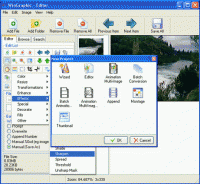
WinGraphic is an all in one image editor, animation editor, batch converter, montage maker and thumbnailer. WinGraphic can apply 44 effects, load 86 image formats, save 63 image formats and save 22 animation/multi-page image formats.
WinGraphic's Image List dramatically increases the speed in which you edit your images. Once you have modified your images you can save them individually or all at once using the batch save feature. The Image editor is able to quickly acquire from a scanner or digital camera, crop, chop, composite, add text, flood fill with color and flood fill with a texture or image. In addition to these you can also apply 44 effects and transformations. The Animation Editor will load and save both multi-page images like TIFF, PDF etc and animations like GIF, MNG and MPEG (Free Delegate download required for reading PDF and MPEG). The Animation Editor works like the Image Editor allowing you to edit each frame of the animation or multi-page image, when finished editing you can save it back into the same format as what was loaded or a different one. For example you could scan your documents and save them as multi-page TIFFs or PDFs so you have a digital copy of your paper work, or turn your single image into an animation by using WinGraphics 44 effects and transformations. WinGraphic has a built in batch image converter. With WinGraphic being able to load 86 image formats it makes it ideal for converting your lesser known images to more common ones. When using the Image Operations/Effects box you are able to add, remove and arrange effects and transformations that are applied to each image while converting. The Batch Animation works like the Image Conversion feature but allows for multi-page images to be converted rather than just single frame images. For example you could convert your GIF animation to the newer MNG format. You could also convert your multi-page TIFF images to PDF files. WinGraphic will also disassemble, montage, append and thumbnail your images. Requirements: 266 MHZ, 128 MB RAM Operating system: Win98,WinME,WinNT 4.x,Windows2000,WinXP Release notes: Minor Update
MagicBD is a graphic software which can be used to draw many kinds of iconographies, illustrations and sketch maps.It can also be used to edit images to process them or get some special effects.
Price: $28, Rating: 10, Downloads: 234 Download
Pos Free Photo Editor is a free photo editor from the authors of the best free professional photo editor - Photo Pos Pro free photo editor. The software is simple and very user friendly photo editor, that lets you easily view, and enhance your photos
Price: $0.00, Rating: 10, Downloads: 190 Download
Design over 10 photos by few mouse clicks. Easily create photo book, collage, calendar, greeting cards, wedding photos and more artworks.
Price: $39.95, Rating: 0, Downloads: 171 Download
Image Frame is a Photoshop-compatible plug-in for easy creation naturally-look 3D frame. Add frame and text to your photos. You can apply rectangular and elliptical frame, change frame profile, material, and lightening.
Price: $14.95, Rating: 10, Downloads: 160 Download
User Rating
Rating:2.2 out of
5 Based on13 ratings.
13 user reviews.

 WinGraphic 2.2.3 details